
iPhone app · open source
oMLX Mobile
Your own AI models, in your pocket.
An iPhone app for oMLX, the LLM server for Apple Silicon Macs. Run your models on your own Mac, reach it over Tailscale or your home network, and chat with them from anywhere. No cloud, no account, nothing collected.

Coming soon to the App Store. Until then, you can build it yourself from the code on GitHub.
For iPhone, iOS 17.6 or later. You need your own server: oMLX on a Mac, or any OpenAI-compatible server.

In the app
See it working
Your server, from your pocket.
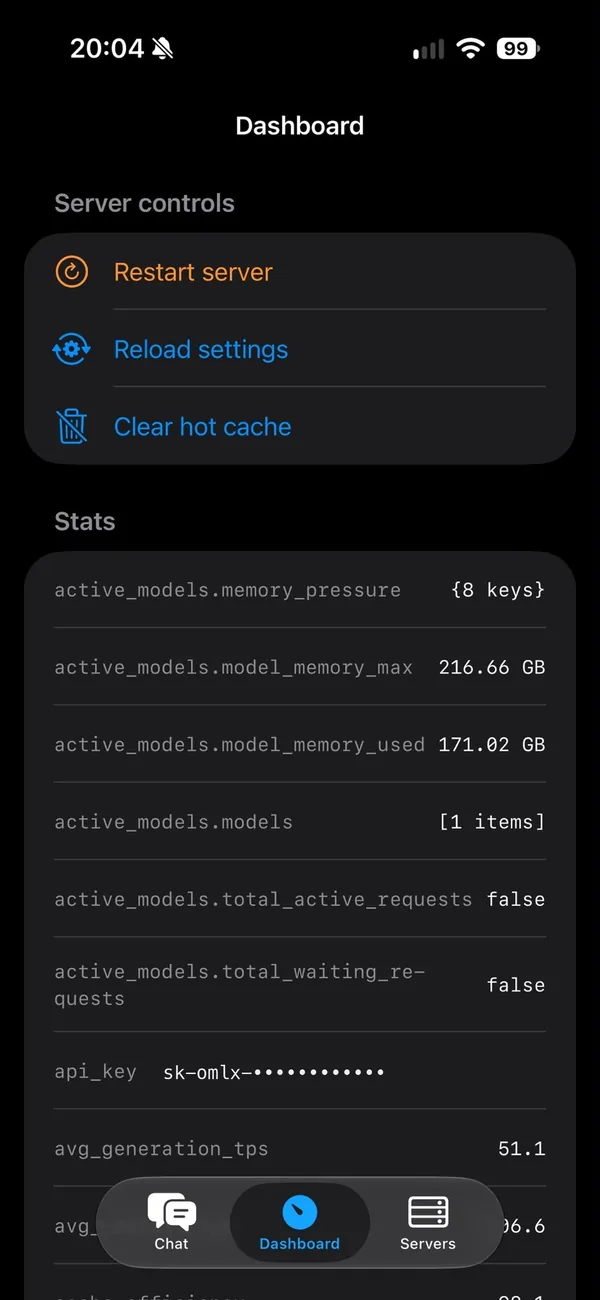
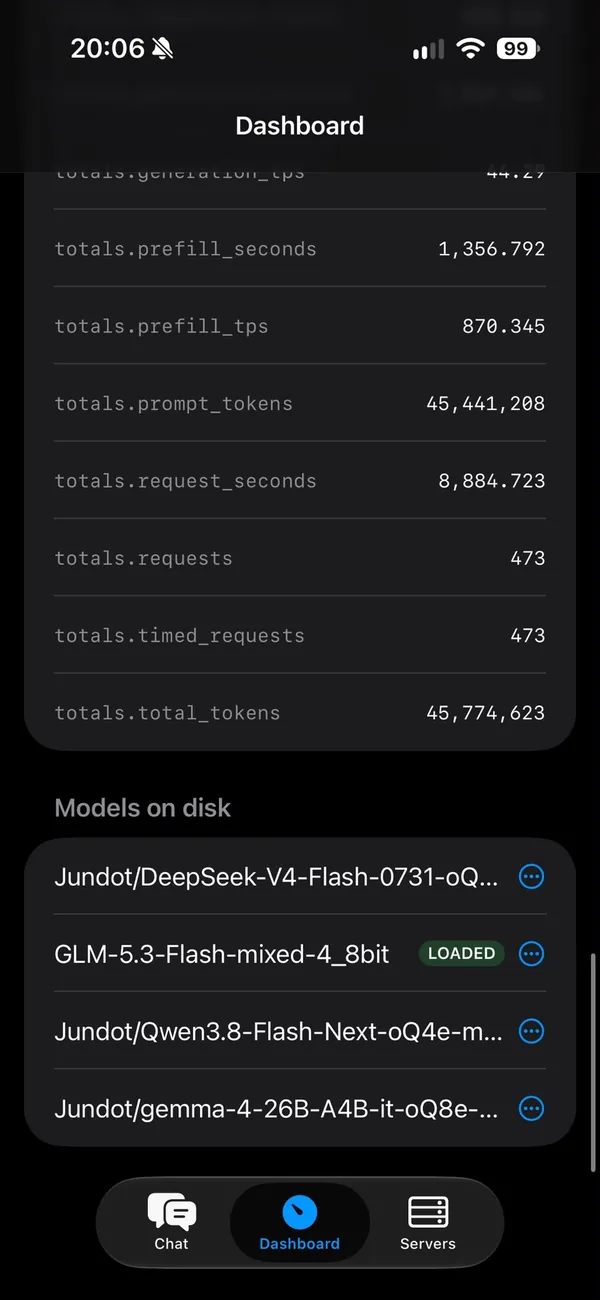

Screenshots from the app, connected to our own oMLX server on a Mac. The API key is hidden.
Features
Everything you need, nothing you don’t
A plain, fast client for the models you already run.
- Streaming chatAnswers appear as they are written, with formatting, code blocks and a stop button.
- Several serversKeep a profile for each: your Tailscale address for travel, your home network address at home.
- Keys in the KeychainAPI keys are stored in the iPhone’s Keychain, one per server, never in plain text.
- Pick any modelThe model list comes live from your server. With oMLX you can load and unload models from your phone.
- Server dashboardLive stats from your oMLX server, and buttons to restart it, reload its settings or clear its cache.
- History on your phoneConversations are kept on the device, and only sent to the server you are talking to.
Works with oMLX · LM Studio · llama.cpp server · Ollama · vLLM, and other servers that speak the OpenAI API.
Set it up
Three steps from your Mac to your phone
- Run oMLX on your MacoMLX runs on Apple Silicon (M1 or later) with macOS 15 or later. Its site lists 16 GB of memory as the minimum and 64 GB or more as recommended. Any other OpenAI-compatible server works too.Get oMLX
- Make it reachableFor use anywhere, put your Mac on Tailscale: “tailscale serve --bg 8000” gives it a private HTTPS address. At home, your Mac’s address on the network is enough, such as http://192.168.1.20:8000.About Tailscale
- Add it in the appServers, then +. Give it a name and the address, paste the API key from oMLX, tap Test connection, pick a default model and save. Then chat.
Privacy
Nothing leaves your hands
The app talks only to the servers you add. Nothing is collected.
- No analytics, tracking or telemetry, and no third-party code in the app.
- Chats stay on your iPhone, and are only sent to a server you added.
- API keys stay in the Keychain, and are only sent to the server they belong to.
- We run no servers for the app and receive nothing from it. Delete the app and its data goes with it.
The full policy is on GitHub. Use HTTPS where you can: Tailscale gives you a valid certificate for free. Plain HTTP is allowed only on your local network.
Open source
Read every line
oMLX Mobile is open source under the MIT licence, written in Swift with no third-party libraries. Read the code, report a problem or suggest a feature on GitHub.
oMLX is a separate open-source project (Apache 2.0) by its own developers. oMLX Mobile is made by AI Ship Captains and is not an official oMLX app. Apple, iPhone and App Store are trademarks of Apple Inc.
Built an app with AI yourself? Ask us for a check before your users find the holes.